
Your sales team works in the CRM. Your back office works in the ERP. And somewhere in between, someone copies customer data, prices and orders from one system to the other. It works, but it’s slow, error-prone and invisible on any budget until something goes wrong: a quote with an outdated price, an order typed in twice or a salesperson who doesn’t know the customer has unpaid invoices.
CRM ERP integration closes that gap. When both systems share data automatically, sales sees the full customer picture, the back office receives clean orders and nobody types the same information twice. This guide explains which data should flow, the main integration approaches, what to consider with SAP and how to avoid the most common pitfalls.
In this article
Why integrate CRM and ERP?
A CRM and an ERP look at the same customers from two angles. The CRM knows the relationship: contacts, conversations, opportunities and quotes. The ERP knows the business: orders, deliveries, invoices, payments and prices. Without integration, each team sees only half the picture.
Connecting them brings four concrete benefits:
-
- No double data entry. Customers and orders are entered once and synced automatically.
-
- Correct quotes. Sales works with current prices, products and availability from the ERP.
-
- Better conversations. Salespeople see order history, open deliveries and payment status before they call a customer.
-
- Faster order processing. A won deal becomes an order in the ERP without retyping, so fulfilment starts sooner.
In our article on sales automation, CRM–ERP synchronization ranks among the tasks with the highest impact. It’s also often the most demanding to get right.
Which data should flow between them
Not everything needs to be synced. Start with the data that causes the most manual work or the most errors today. A typical setup looks like this:
| Data | Typical direction | Why it matters |
|---|---|---|
| Customer master data (company, addresses, tax IDs) | CRM → ERP for new customers, ERP → CRM for updates | One consistent customer record in both systems |
| Products and price lists | ERP → CRM | Quotes always use current products and prices |
| Quotes and won deals | CRM → ERP | Won deals become sales orders without retyping |
| Orders and delivery status | ERP → CRM | Sales can answer customer questions without asking the back office |
| Invoices and payment status | ERP → CRM | Salespeople know about open items before the next conversation |
| Stock and availability | ERP → CRM | Realistic delivery promises in quotes |
For each data type, decide which system is the “source of truth”. Without that decision, the two systems will eventually overwrite each other.
3 integration approaches compared
1. Standard connectors
Many CRM and ERP vendors offer ready-made connectors for common system combinations. They’re the fastest way to start and work well when your data model and processes are close to the standard.
Watch out for: limited flexibility with custom fields, special pricing logic or industry-specific processes, and licence costs per connector.
2. Integration platforms (middleware)
An integration platform sits between the systems and handles data mapping, transformation, scheduling and error handling. Microsoft Power Platform is one example that many companies already have access to. Middleware is a good fit when several systems need to be connected, or when data has to be transformed on the way.
Watch out for: the platform itself needs to be operated and monitored, and complex logic can become hard to maintain without clear documentation.
3. Custom API integration
A custom integration service connects the systems directly through their APIs, built exactly for your data and processes. It’s the most flexible option and the right choice when standard connectors can’t handle your requirements, when performance matters or when older systems need to be included.
Watch out for: higher initial effort, and the need for a partner who maintains the integration as both systems evolve.
In practice, many companies combine approaches: a standard connector for the basics, extended by middleware or custom services where the standard stops.
What to consider with SAP
SAP is the ERP behind many mid-sized and large companies, and connecting it to a CRM has its own considerations:
-
- Your SAP version matters. Newer systems such as SAP S/4HANA offer modern APIs (for example OData), while older systems such as SAP ECC often rely on interfaces like BAPIs, RFCs or IDocs. The version shapes which integration approach makes sense.
-
- Customizations are common. Many SAP systems have company-specific fields, pricing logic or workflows. The integration must reflect them, which is where standard connectors often reach their limits.
-
- Involve your SAP team early. Access rights, interface approvals and testing environments take time to arrange. Plan for them from the start.
-
- Test interfaces systematically. Automated interface tests catch errors before they reach customers, especially after SAP updates.
One example from our work: for a client managing drivers and vehicles, we built RoutePilot AI, an automation layer in Microsoft Power Platform that connects Geotab telematics with SAP SuccessFactors. Neither system was replaced; the manual work between them was automated.
5 common pitfalls
-
- No clear source of truth. If both systems can change the same data, they will overwrite each other. Define ownership for every data type.
-
- Syncing dirty data. Duplicates and outdated records spread to both systems. Clean the data before connecting them.
-
- Syncing everything. More data means more complexity and more errors. Start with what the team actually needs.
-
- No error handling. Integrations will occasionally fail. Someone needs to be notified, and failed records need to be retried or fixed, not silently lost.
-
- Forgetting the users. An integration only creates value if sales sees the ERP data in the right place, at the right moment, in the CRM screens they use every day.
Step by step to a working integration
-
- Map today’s data flows. Where is data copied by hand between sales and back office, and how often?
-
- Prioritize. Pick the two or three data flows with the biggest impact, often customers, prices and won orders.
-
- Define ownership and rules. Source of truth, sync direction, frequency (real time or scheduled) and conflict rules for each data type.
-
- Choose the approach. Standard connector, integration platform, custom service or a combination, based on your systems and requirements.
-
- Clean the data in both systems before the first sync.
-
- Build, test and monitor. Test with real scenarios, set up error notifications and review the integration regularly.
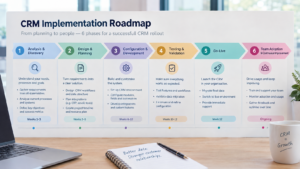
If you’re planning a new CRM, include the ERP integration in the project from the start. Our CRM implementation roadmap shows where it fits in.
FAQ
What is CRM ERP integration?
CRM ERP integration connects your customer relationship management system with your enterprise resource planning system so that data such as customers, products, prices, orders and invoices is shared automatically instead of being entered twice.
Which data should be synced between CRM and ERP?
Typically customer master data, products and prices, quotes and won orders, order and delivery status, and invoice and payment status. Start with the data that causes the most manual work or errors today.
Can any CRM be connected to SAP?
Most common CRMs can be connected to SAP, through standard connectors, integration platforms or custom interfaces. The best approach depends on your SAP version, your customizations and the data you need to exchange.
Real-time or scheduled sync?
It depends on the data. Order creation and stock availability often benefit from real-time or near real-time sync. Master data and reports can usually be synced on a schedule, for example every hour or overnight.
Have two systems that should talk?
genPsoft connects CRMs with SAP and other ERP systems, using standard connectors, Microsoft Power Platform or custom integration services. In a free 30-minute integration check, we look at your systems and data flows and show you the most practical way to connect them.