Your CRM is in place. Deals have stages, customers have a history and the pipeline is finally visible. And yet your salespeople still spend hours every week typing in leads, building quotes from scratch, chasing approvals and preparing reports.
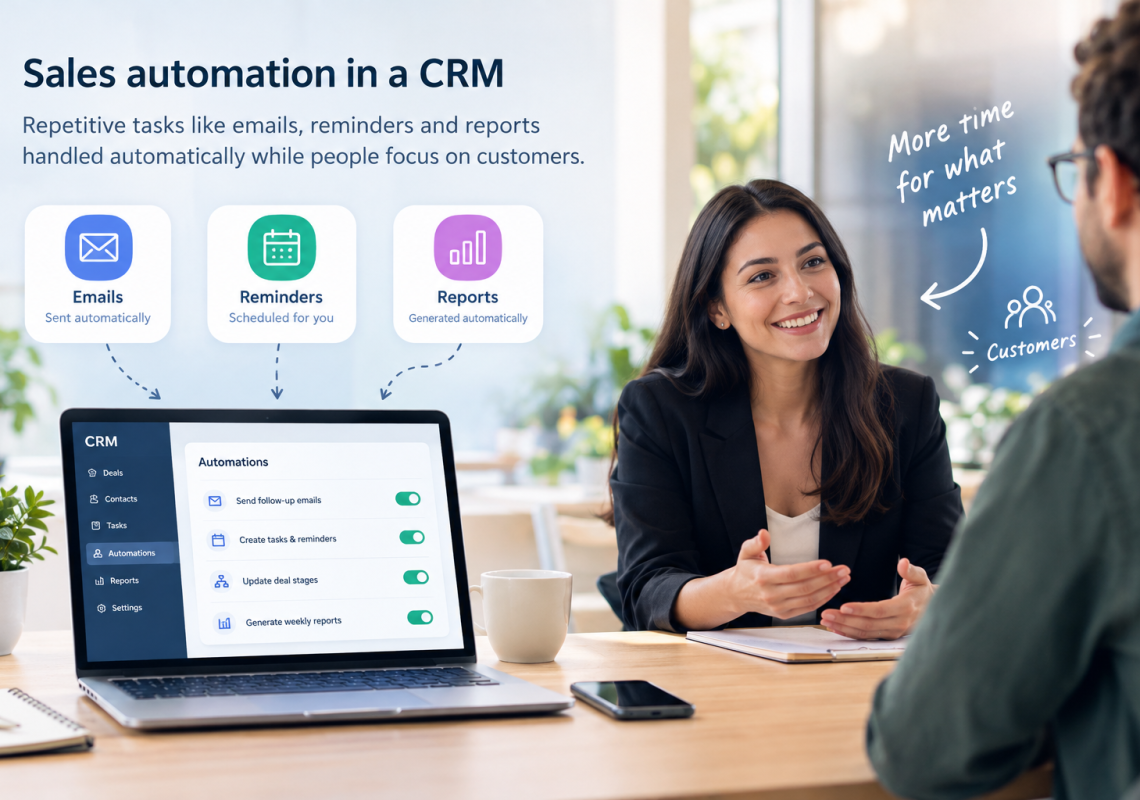
That’s where sales automation comes in. It lets your CRM take over the repetitive, rule-based work, so your team can spend its time on the part of selling that only people can do: understanding customers and building relationships.
This is the fourth part of our series. We’ve covered the hidden costs of manual sales processes, sales process standardization and the move from Excel to CRM. This article shows 12 tasks B2B teams can automate in their CRM, how to prioritize them and what you should never automate.
In this article
The automation maths: small tasks, big numbers
Most repetitive sales tasks take only a few minutes. That’s exactly why they’re easy to ignore. The picture changes when you multiply them by volume.
10 minutes to enter and assign one inbound lead × 200 leads a month = more than 33 hours of manual work. Every month.
A simple example calculation
And that’s just one task. Add quote preparation, follow-up reminders, data syncing and weekly reports, and it’s easy to see how much selling time disappears into admin. To estimate your own potential, use this simple formula for each task: minutes per task × times per month = hours per month.
12 sales tasks you can automate in your CRM
1. Lead capture from web forms and email
Instead of copying inquiries from emails or website forms into the CRM, new leads are created automatically, with source, date and message attached. Duplicate checks can merge them with existing contacts.
2. Lead routing and assignment
Rules decide who gets which lead: by region, industry, product or company size. The right salesperson is notified immediately, and no lead waits in a shared inbox while everyone assumes someone else is on it.
3. Follow-up reminders and task sequences
When a deal enters a new stage, the CRM creates the right tasks automatically: call within two days after a first meeting, follow up a week after sending an offer. Follow-ups no longer depend on memory.
4. Meeting booking and logging
Booking links let customers choose a slot themselves, and meetings are logged in the CRM automatically with the right contact and deal. No more back-and-forth emails to find a time.
5. Quote and proposal generation
Quotes are created from CRM data using a standard template: customer details, products, current prices and terms are filled in automatically. Salespeople review and adjust instead of starting from an old document.
6. Approval workflows for discounts and special terms
When a discount exceeds a defined limit, the CRM sends an approval request to the right manager. The decision is documented with the deal, instead of disappearing in an email thread or a hallway conversation.
7. CRM and ERP synchronization
Customer data, prices, orders and invoices flow automatically between the CRM and your ERP, for example SAP. Sales sees order status and payment history without switching systems, and nobody types the same order twice.
8. Deal-stage triggers and handoffs
When a deal is marked as won, the CRM can automatically inform the delivery team, create a project, pass on all relevant details and schedule a kickoff. This is one of the most valuable automations, because handoffs are where information is most often lost.
9. Weekly pipeline reports
Dashboards update in real time, and a summary lands in management’s inbox every Monday morning. Nobody has to spend Friday afternoon collecting numbers from different sources.
10. Data hygiene
Automated checks flag duplicates, missing fields, deals without a next step and close dates in the past. Clean data keeps forecasts reliable and keeps the team’s trust in the CRM.
11. Renewal and upsell alerts
Contracts, maintenance agreements and service periods have end dates. The CRM reminds account managers in good time, so renewals and follow-up offers are planned instead of rushed.
12. Customer onboarding kickoff
After a signed order, new customers automatically receive a welcome email with next steps, contacts and documents. The first impression after the sale is consistent, no matter who closed the deal.
Overview: effort and impact at a glance
Effort and impact depend on your systems and volumes. The ratings below are typical starting points to help you prioritize.
| Task | What changes | Typical effort | Typical impact |
|---|---|---|---|
| 1. Lead capture | No more manual lead entry | Low | High |
| 2. Lead routing | Faster response to new leads | Low | High |
| 3. Follow-up reminders | No forgotten next steps | Low | High |
| 4. Meeting booking | Less scheduling back-and-forth | Low | Medium |
| 5. Quote generation | Faster, consistent offers | Medium | High |
| 6. Approval workflows | Documented, faster decisions | Medium | Medium |
| 7. CRM–ERP sync | No double entry, one view of the customer | High | High |
| 8. Deal-stage handoffs | Nothing lost between sales and delivery | Medium | High |
| 9. Pipeline reports | Reports without manual work | Low | Medium |
| 10. Data hygiene | Reliable data and forecasts | Low | Medium |
| 11. Renewal alerts | Planned renewals and upsells | Low | Medium |
| 12. Onboarding kickoff | Consistent customer experience | Medium | Medium |
What you should NOT automate
Automation should give salespeople more time for the human parts of selling, not replace them. Keep these in human hands:
-
- First conversations and discovery. Understanding a customer’s real problem needs curiosity and good questions.
-
- Negotiation. Terms, trade-offs and trust are built between people.
-
- Bad news. Delays, price changes or problems should come from a person, not a template.
-
- Relationship moments. Congratulations, thank-yous and personal check-ins lose their value when they’re automated.
-
- Mass sequences that pretend to be personal. B2B buyers recognize generic automated emails quickly, and they damage trust.
A good rule of thumb: automate the preparation and the paperwork, not the conversation.
How to prioritize: start with quick wins
Trying to automate everything at once is a common mistake. It overwhelms the team and makes it hard to see what works. A better approach:
-
- List your repetitive tasks and estimate minutes per task and times per month.
-
- Rate effort and impact for each one, as in the table above.
-
- Start with 2–3 quick wins: low effort, high impact. Lead capture, routing and follow-up reminders are often the best first steps.
-
- Measure the result after a few weeks: time saved, response times, fewer errors.
-
- Then tackle the bigger projects, such as ERP synchronization and automated handoffs, which need more planning but often deliver the largest gains.
One condition applies to all of them: automation only works on a defined process. If your stages and handoffs aren’t clear yet, start with standardizing your sales process.
Connecting the tools you already have
Many of the biggest automation gains don’t come from new software. They come from connecting the systems a company already uses, so that data flows automatically instead of being copied by hand.
One example from our own work: for a client managing drivers and vehicles, we built RoutePilot AI, an automation layer inside Microsoft Power Platform that connects Geotab telematics with SAP SuccessFactors. Neither system was replaced. Instead, the manual work between them was automated.
The same principle applies to sales: connect your CRM with your ERP, email, quoting and accounting tools, and many of the 12 tasks above become possible without changing how your team works day to day.
The next step: scaling your sales team
With a standardized process, a CRM your team uses and the first automations in place, you’re ready to grow. In our next article, we look at how to structure your CRM, roles, territories and reporting so your sales team can scale without chaos.
FAQ
What is sales automation?
Sales automation means using software, usually your CRM, to handle repetitive, rule-based sales tasks automatically. Typical examples are lead capture and routing, follow-up reminders, quote generation, approval workflows and syncing data with other systems.
Which sales tasks should we automate first?
Start with tasks that are frequent, rule-based and low in effort to automate, such as lead capture, lead routing and follow-up reminders. They deliver visible results quickly and build trust in automation before larger projects like ERP integration.
Will sales automation replace salespeople?
No. Good sales automation takes over administrative work so salespeople can spend more time with customers. Conversations, negotiation and relationship building remain human tasks.
Can we automate sales without replacing our existing systems?
In most cases, yes. Many automations work by connecting the CRM with systems you already use, such as your ERP, email, calendar and quoting tools. Integration platforms like Microsoft Power Platform can also automate processes across several systems.
Find your 3 quickest automation wins
genPsoft helps B2B companies automate sales processes and connect their CRM with ERP, SAP and other business systems. In a free 30-minute automation check, we look at how your team works today and identify the three automations with the biggest effect.